Help is just a click away.
Everything you need to explore The Lighthouse, publish with confidence, and find support fast. Dive into guides, quick tips, and community help right here.
Click the button above for a friendly Lighthouse tip.
Navigate faster
Jump directly to articles, podcasts, and the login page from the top menu.
Write with confidence
Use the editor to draft your article, save progress, and publish when you are ready.
Stay inspired
Explore featured stories and community tips to make the most of your school blog.
Getting around
The Lighthouse is designed to feel calm and easy to use. Use the top navigation to browse writing, listen to podcasts, or return here anytime for help.
Search the FAQ
Type a keyword to filter questions instantly, or read the tips to get a fast answer.
Frequently asked questions
Use the editor page to draft your article. Save your work, then publish when you are ready. If the site requires review, reach out through the Contact page.
Visit the Blog section from the top navigation to browse the latest stories and updates from our student community.
Open the Podcasts page and click any episode to play. The site is built to keep listening smooth while you explore other content.
Start from the login page. If you still can’t sign in, contact an admin through the Contact page for help resetting your password.
Tutorials
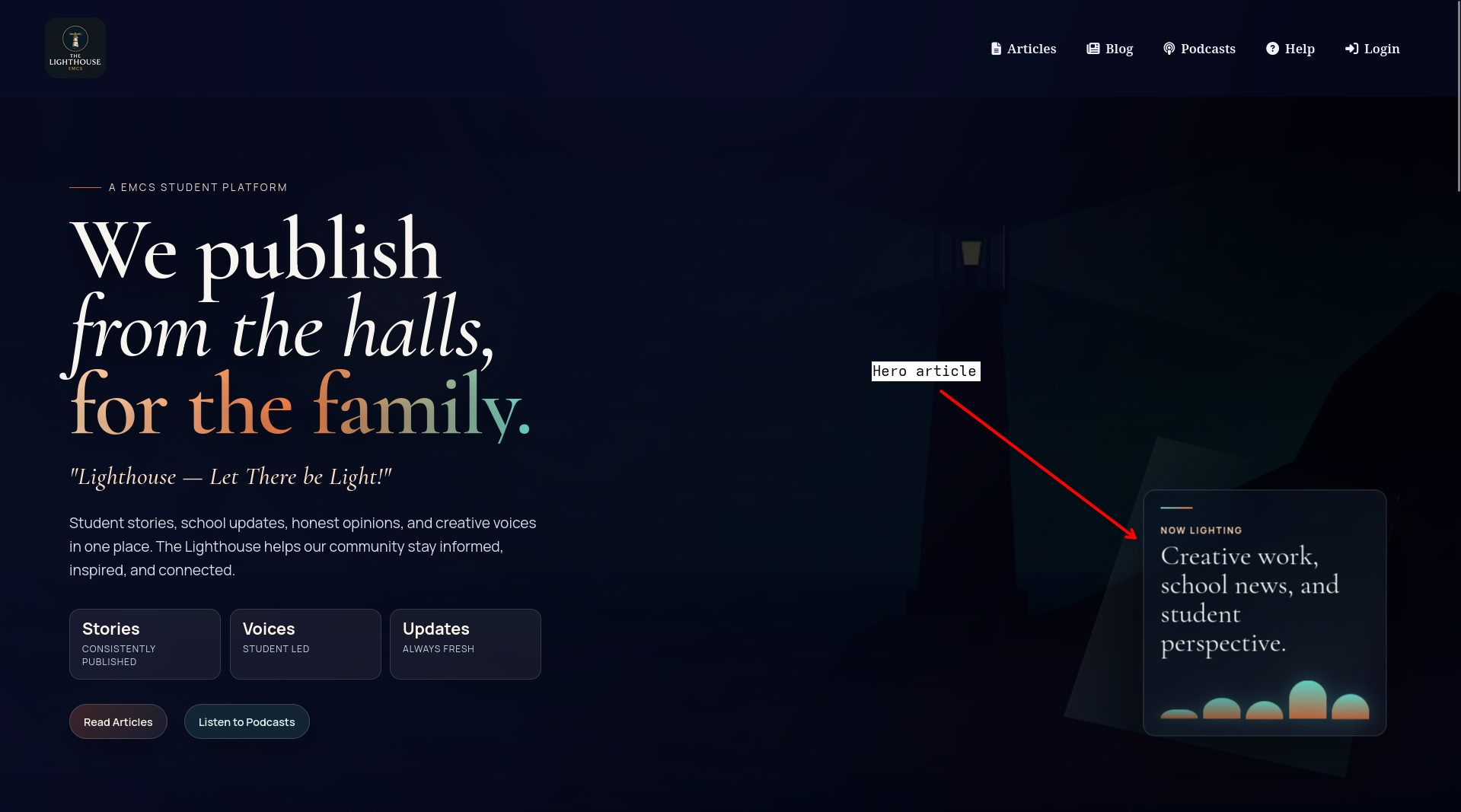
Hero Article
The hero article is the main homepage feature. It appears at the top of the home page with the biggest headline, image, and description. If nothing is assigned yet, the default placeholder text is used.
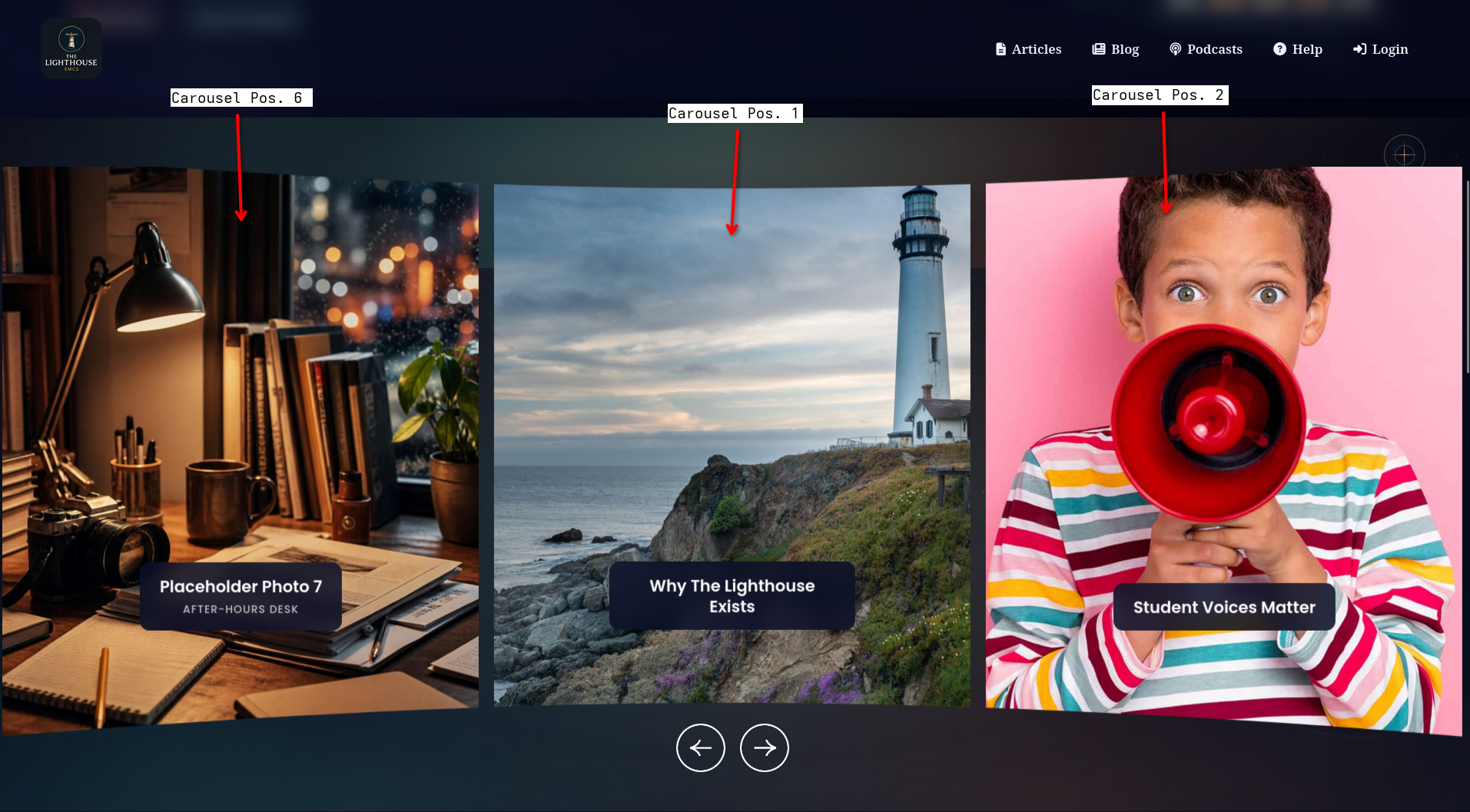
Carousel articles
The carousel has six positions. These slides display important article images and links that visitors can swipe through. In the dashboard, assign published or seeded articles to positions 1–6 to fill these cards.
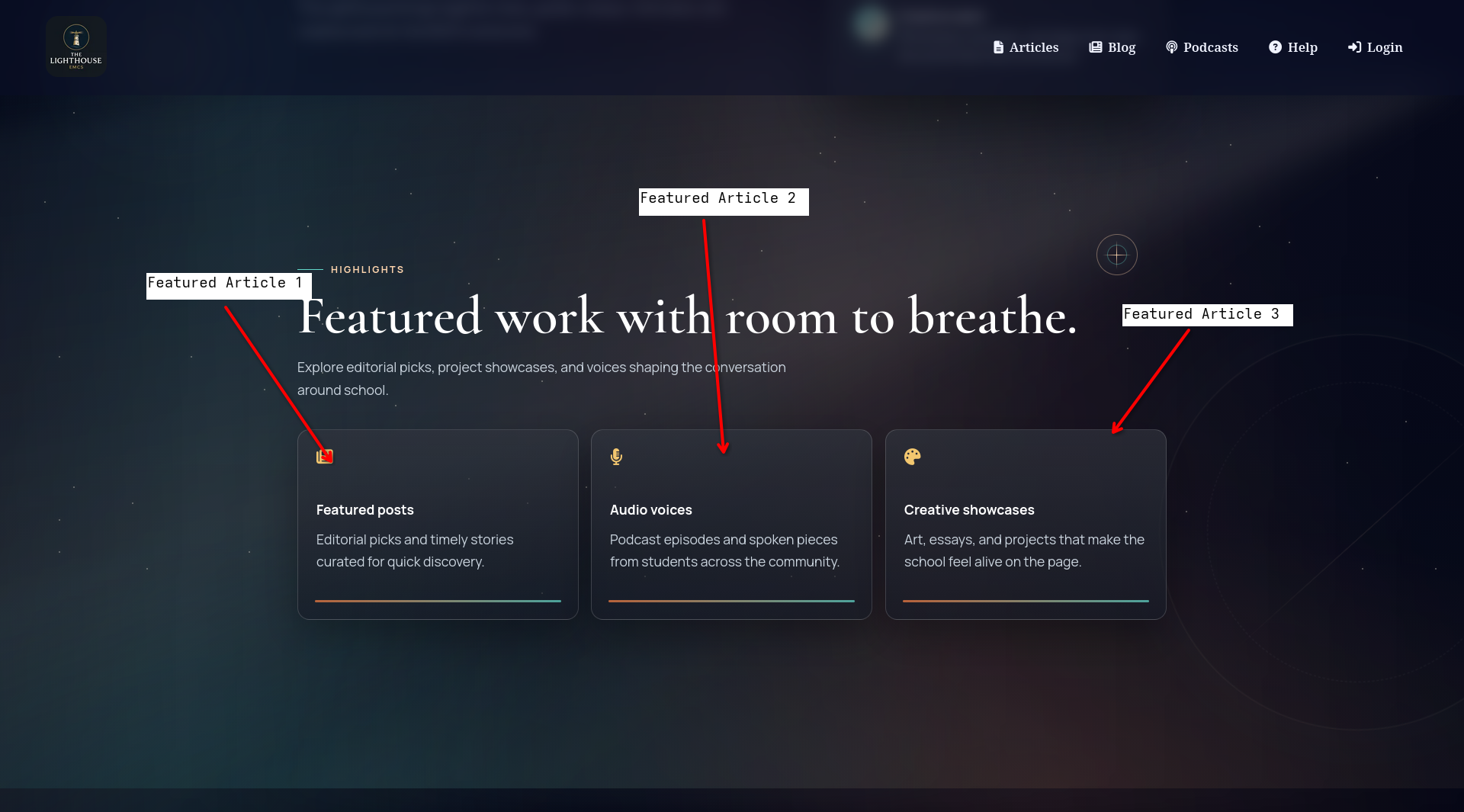
Featured article cards
Featured Article 1, 2, and 3 are editorial picks. They are smaller cards for curated stories, audio pieces, and creative showcases. Use these slots to highlight a mix of timely posts and staff-selected content.